Saturday, September 26, 2015

More Google Goodness!!!

WOW!!! Thank you to everyone for you overwhelmingly positive response to my Counselor Activity Log.  I've had a number of requests for other forms folks saw in the Google Forms PowerPoint I shared.  I never really thought anyone would be interested in those, but since you've asked, I'm glad to share them as well.


Step by Step on how to copy a form!
When you see a form you would like to use you must first do the following before making any changes or adding data.
1) Click on the form link below.
2) Click on "Make a copy"
3) It is now in your Google Drive.  Go ahead check  your Google Drive just to be sure.  Is it there? Good!
4) Now,  open it and edit away!!! Go wild! Make it your very own!  Change the header! Customize it to your school and your needs!

Adding a link to your Desktop
I have found from personal experience I will use my forms more often if they are handy and I am not searching through my Google drive for them.
1) Copy the URL of your color live form with the little icon of the pencil in a colored box at the top of the page
2) Go to your Desktop and right click your mouse on the Desktop
3) Choose new, then shortcut
4)  You will get a box asking what you would like to create a short cut for, paste the URL of the color copy of your form there
5) You will be asked to create a name for your shortcut ( ex: Activity Log, Minute Meeting, etc.)
6) Then click finish and there it is on your Desktop.  Just add Data!!!

Sharing my forms
Below you will find 8 of the forms I have created for use in my school counseling program.  Please remember to COPY to your Drive before EDITING!  Enjoy!

Counselor Phone log
Teacher Survey of Counseling Program
Group Counseling Record Log
On-line Counseling Referral Form for teachers
Minute Meetings with the Counselor, general
Minute Meetings, behavior
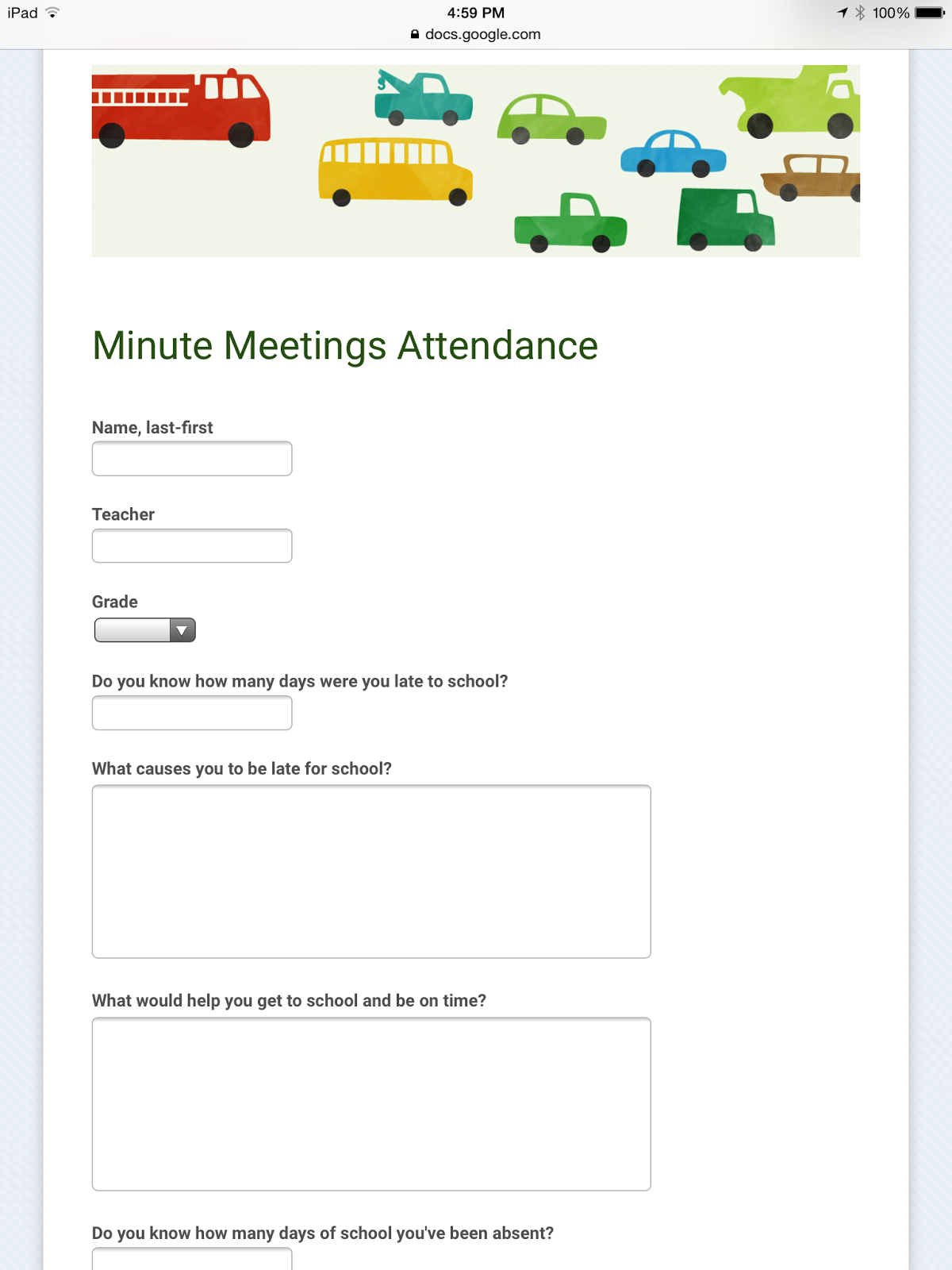
Minute Meetings, attendance
Minute Meetings, grades


Send your on-line counseling form link  to your teachers and include instructions for adding it to their desk top so they can easily make referrals to you.  Be sure to go under "Tools" on the Responses page and set "Notification Rules" so you are notified when a referral is submitted to your gmail.


I hope these forms are helpful to you for collecting data and documenting how you spend your time as a  School Counselor.  Are there other forms you would like to see?  Do you have forms you have created?  Please share your ideas!


Saturday, September 19, 2015

Creating a Counselor Activity Log with Google Forms

Another new school year and I am renewing my vow to myself to use technology and give my best effort to going paperless. Again.  I truly LOVE Google Forms and have found lots of ways to use them.  All were successful but one, recording my daily activities.  And it wasn't the form, it was me. Last year, try as I might to make them work, I just wasn't able to keep up with it. When I sat down and analyzed what had happened I identified 3 problems.  One, my form was not on my desk top so it was not readily accessible and  I would spend too much time searching for it in my Google Drive. Second, I think I tried to collect too much information.   Rather just trying to click that I had performed a specific task for a specific amount of time I was trying to keep notes too. A bad idea for time and confidentiality sake.  Third once I got behind, psychologically, it just seemed like to much to do to catch up.

Google forms, round 2!
But now I am ready to try again.  I have redesigned my form a bit, adding a drop down menu of teachers, grade level, reasons students may want to see me, and who referred them.  Anything to make it click and go.  I still have my notes section in case there is something I did not think of or that needs to be part of my record. Another great thing about Google forms is you can continue to edit them even after you have started collecting data. Click the black "edit this form" button at the top of the page of the "color" form and you will get the gray "editable version."  Make your additions, deletions or corrections, close it up and continue collecting  data.  Need to edit a response?  Click on the "edit form" button on the color form, go to the gray form and click on the "View Responses" tab.  When it opens, scroll down to the entry you want to edit and make your needed changes.  I will still keep a file on each student I see with more specific notes and memory aides. This form will allow me to track my daily time  and whether it is spent on direct/indirect services and non-counselor related duties.

How's my progress?
Four weeks in and I am up-to-date on my daily entries!  Looking at my data, already I see I am spending more time with classes than individuals,  However, that is okay, as classroom lessons are a Tier 1 intervention where I lay the foundation of my program and skills training with ALL students. It is where I feel I get the biggest and best value for my time.  With all my classes plus the individuals I am seeing, it comes out to more than 80% of my daily time is being spent in direct services to students and what could be better than that!

Truly, creating a shortcut on my desk top to my form has made a huge difference.  It only takes a minute, literally, to click down the list of items on my form to record each activity.  If you are interested in using Google forms, here is a link to my form to help get you started. You are welcome to make a copy and make edits that fit for you and your counseling program. I love Google forms and find them easy to create and edit.  It is also easy to share data about your program and how your time is being spent (or encumbered!).  Google forms also creates beautiful graphs.  All you have to do is click on summary of responses to see its colorful creations.This is essential as we advocate for the best use of the School Counselor's time and also provides us with a valuable accountability piece.


Google forms step by step.
If you are new to Google forms, I am linking a PowerPoint presentation about some of their many uses and how to create your own forms.  You will find slides 30, 31 and 32 especially helpful for taking a copy of my form and making it your own.  Remember you must make a copy of my form before it will show up on your Google Drive.  Otherwise, your data will be stored on my form, in my drive and you will not be able  to access it.  Also, anyone else who decides to edit my form will also be editing your form. And, I wouldn't want your hard work to go to waste!

Please feel free to contact me with questions or more ideas for forms. Good Luck with your forms!  I think you're going to love them!

Friday, September 11, 2015

Free Bully Resource!!! Order yours today !!! Spread the Word!!!

Two years ago, Lizzie Sider, an energetic and talented young lady visited our school with her "Nobody Has the Power to Ruin Your Day" anti-bully assembly. For weeks prior to her visit we listened to her single, "Butterfly" so we would know all the words and could sing along when she arrived. My students made posters and butterfly decorations to hang in our cafetorium to greet her.  She was an instant hit at our school with her beautiful spirit and singing voice.  She shared her story of being bullied and how she has used music to help herself and others. Her kindness and compassion were genuine as she took the time to talk to each student, pose for photos, and give hugs.  Lizzie is a teen-ager with a passion to be a singer and to share her anti-bully message with students everywhere. 

Today I received the following email and just as Lizzie asked I am sharing this free resource with all of you.  We would love to have Lizzie return, but since we can't this is the next best thing!

You’re gonna love what we are putting together for the kids and teachers this year.
Hi, Lizzie Sider here.
Over the last 2 years, I have been to more than 350 schools across America on my Nobody Has the Power to Ruin Your Day National Bully Prevention School Assembly Tour. 
More than likely, I have been to your school or district, and now I respectfully request a BIG FAVOR.
Since I cannot get to enough schools, in person, we are creating a really great 30 minute bully prevention DVD that closely tracks the content of my live assembly. My goal is to get this no cost program into as many elementary and middle schools as we can.
Each school will receive the DVD, and a Booklet with discussion questions for the teachers to use back in the classrooms, as well as enough Nobody Has the Power to Ruin Your Day bracelets, for each student to receive one. All at no cost to the School. NO strings attached.
Please email me back to say “yes” that your school would like our no cost package.  Please let me know how many students you have and your contact info and we will put your school on the list.
Shipping is anticipated to be mid to late October, 2015, but we will be in contact with you before that.
Help us get the Word Out, PLEASE!!!!
I am hoping you will forward this email, including the below video from me, to your associates and colleagues at other schools along with your personal recommendation. 
Thanks so much for all that you do for our kids, and for your continued support.
Lizzie


The Lizzie Sider Bully Prevention Team
If you would like your school to receive this No Cost program, please respond with the name of your school, address, contact person and number of kids and email directly to:
Send all correspondence to: Lizzie@nobodyhasthepowertoruinyourday.org
Click here to visit my website: http://nobodyhasthepowertoruinyourday.org
Copyright © 2015 Nobody Has The Power To Ruin Your Day Inc., All rights reserved
http://nobodyhasthepowertoruinyourday.org
Copyright © 2015 Nobody Has The Power To Ruin Your Day Inc., All rights reserved.
Our mailing address is: 

Nobody Has The Power To Ruin Your Day, Inc.

The Berkeley - Suite 200

6751 North Federal Highway

Boca Raton, FL 33487

Friday, August 28, 2015

Meet the Counselor with Jenga!

Looking for a quick and easy "Welcome Back- What is a School Counselor lesson?"  Well, you've found one!  We've been playing School Counselor Jenga and the kids love it.  Actually, kids just love Jenga!   I had no idea how much until I bought a set of Jenga blocks for my School Counselor intro lesson. When I mentioned Jenga they got all excited. They stayed engaged the entire lesson and were very careful not to knock over the Jenga tower so everyone in their class could have a turn.
This was truly one of the easiest, simplest and most engaging lessons I have ever done. Seriously!

Lesson Prep
1. Buy Jenga blocks
2. Make and print a numbered list of questions
3. Number your blocks
4. Play School Counselor Jenga!

Make a numbered list of questions that reflect all the information you want your students to know about you, your job, procedures for seeing you, school rules, behavioral expectations or whatever is unique to you, your school, and your school counseling program. I came up with 42 questions for my lesson. You can see my list HERE to give you some ideas of what you might ask. Some of my questions are generic and can be used by all School Counselors, but since our schools, programs and procedures are different, your list will need to reflect the things that are special to your population and your school.  Next, get your Jenga blocks and using a black permanent marker, number the blocks to match your list of questions. You can number them on the top or on the end.  I chose to number mine on the end, no special reason.  I had about a dozen blank blocks left over, but that was okay, I had to rack my brain for the 42 questions on my list!

Playtime
After a brief introduction of new students, a reminder about procedures and my expectations for classroom behavior we got down to Jenga Time!  I explained I was not going to tell them about my job this year because they had been hearing from me for years.  This year, I was going have them tell me and each other what a School Counselor does.  I had the blocks set up on a table in the front of the room and told them we would take turns coming up and removing a block.  They would tell me the number and I would give them a School Counselor question.  If they couldn't answer it, they were allowed to call on a friend to help. I used the number of the day they were born to determine the order in which they would come up to take their turn. When I had 3 students born on the 18th, we went in order of which month came first.  The students had a great time, cheered, clapped and encouraged each other. Twenty-five missing blocks later our tower was still standing and my students had shown me how much they knew about what a School Counselor does and had taught our new students too.

Insights
As we played School Counselor Jenga, as I decided to call it, I had two thoughts.  First, I became aware of the things about my job the students struggled with or did not understand.  I  learned I have some re-teaching to do. Secondly, I began to realize my numbered Jenga blocks could be used in this same fun way to review a lesson or skills and assess how well my students understood the concepts of that lesson or unit.  How fun would that be?

The Inspiration
I was inspired to use Jenga after attending an ASCA session this summer on using games in your School Counseling program. I saw presenter Grace Wilhelm  demonstrate how she uses Jenga to get to know her students at the beginning of the school year. This got my brain thinking about how I could use games to introduce the School Counselor.  Thanks Grace!  To learn more about how to use all sorts of games in your counseling program, visit Grace at her blog Counselor Games.

Thanks for stopping by!  Here's to fun and engaging Meet the Counselor lessons!


Friday, August 21, 2015

15 Tips and Resources to Start a New School (Year)

For some of us "back to school" has happened much sooner than for others. And some of you "lucky ducks" still have a few weeks of summer vacation to go.  But, if you are a brand new School Counselor, or even an experienced School Counselor starting at a new school or new level, this can be not only an exciting, but anxious time.  The tips listed here are important things to consider to transition smoothly into a new school.  In addition to my original 12 tips and resources for School Counselors, I would like to add 3 more.  Read on for 15 tips to get your school year off to a great start!

#1 Talk expectations with your administrator.
Okay, hopefully in your interview you were able to ask what sort of expectations your administration has in regard to your role as the school counselor.  This is a biggie, so if this is a conversation you have not had, or even if you did, take some time before the rest of the faculty heads back to school and make an appointment to go in and talk it over. Learn about your administrator's vision for the school and their understanding of the role of the school counselor.  Share and discuss the the ASCA National Model Executive Summary and talk about how based on the ASCA National Model you can be part of that vision.

#2 Set up your office (the physical space).
There is nothing more exciting than getting to decorate your space.  Whether a closet size office, a classroom, or something in between (I have had all of the above) you will need to create a warm and welcoming space for not only your student visitors, but teachers and parents as well.   My latest office is in a portable classroom.  I have lots of space for classroom lessons, group and individual counseling. Plus, all my materials are in one place.  I really love this space. I hope it feels welcoming.


Your office should reflect your personality.  Be careful though not to be so "girly or rugged" that guys or girls can't stand to be there, or so busy it makes it difficult for your fidgety ones to calm down.  Yard sales and consignment stores are great places for finding rugs, lamps, board games, and small toys to give it that homey touch. Plants, curtains, colorful posters, books, playdough, a sand tray, board games, and art supplies are a few of the things that will complete the space.  You can also check out my Pinterest page for some office decorating and organizing ideas.

#3 Set up your office (your organizational system).
Organizing  the volume of data and information we have to handle is a huge responsibility and your ability to access it on a moments notice is the difference is looking like a seasoned pro versus, well, not making a good impression.  How you organize is a very individual thing and more personal, I think, than  how you decorate your space. Lots of folks can tell you how to organize, but the bottom line is you have to find what works for you. So until you do, I will share a very basic organizing system that has worked for me.  This year I am in transition and trying to go as paperless as possible and that means setting up Google forms for many of the ways I organize and use information.  I will share my paper method here.  Information on creating your own Google forms can be viewed HERE.

These are just a few ideas to get you started.  Perhaps you will find these methods helpful or will find some elements useful for creating your own system.

The "paper" system.
You will need: one 2 inch and two  1 1/2 inch  3 ring binders, 3 packs of eight tab dividers or 5 packs of  five tab dividers, a package of page protectors, 3 hole punch, a steno book, one plastic "milk" crate, letter size hanging folders, letter size files, and a calendar/planner.


 First, I create the 2 inch three ring binder I like to refer to as "Essential Information," but call it what you want.  There is a tab for "schedules" (your counselor schedule, class schedules, lunch, special area, ESE, Speech, Media, Recess, bus info or whatever your school has a schedule for) collect them all and place each in a page protector.  "Class lists"  are tabbed by each grade level and ESE.  The "student master"  tab refers to a great list I get from my data clerk that lists students on my caseload by last name with their parent's name and phone #.  A tab for "entries and withdrawals"  allows me to know who is coming and going (my registrar is great about keeping me in the loop) so I can scoop up the new students for a New Faces group. Last, there's a tab for "cum review" sheets,  but I'll talk about those later when we get to #4 Data.


Next I create the "Data Notebook."  This is one of the 1 1/2 inch binder with tabs for discipline referral data, attendance data, report card data (my school can run a D's and F's list),  a tab for "state test scores,"   and one each for student, teacher, and parent survey data. You will start with the data from the just completed school year, but after analyzing that and your  recent survey data from the start of this school year, that information will direct your focus for addressing the needs of your school for the  current school year.


Third, create the Classroom Lessons Notebook.  Using the other 1 1/2 inch binder, you can organize this by grade level or day of the week, it is entirely up to you.  I like day of the week and have tabs labeled Monday to Friday.  Behind each tab are the classes I see that particular day.  I have a class list with holes punched on the right side of the page and a class lesson agenda with holes punched on the left so when I open the notebook I can see the student's names on the left and my lesson on the right.  I am a visual learner so seeing the names of my students helps me to learn them all.  It also gives me a place to add the names of new students who join the class or notes if someone has a special need or needs to sit separately from a classmate.
Download my Black binder covers and page dividers  or my blue binder covers and page dividers for FREE at my Teachers Pay Teachers store.  Both are editable.

Next, the steno book.  This is my phone log and I keep it by my phone always!  Each morning I date the page for the day and every time I answer or make a call I write down the time, whether it was an incoming or outgoing call ( I use arrows -> or <-), the name of the caller, and any information or action I need to take in regard to the call.  If the school secretary leaves a note in my mailbox, I staple it to the back of the page and record the return call on the front.  This log is valuable beyond belief when it comes to documenting day, time, and content of calls.  It has been particularly useful for families who did not "remember" my call to them, documenting my calls to Child Services, and recording the numbers of individual investigators or agencies who call me regarding students. I tried using a Google form but found the paper version easier for me.  I will try again this year.

There are many VERY cute and personalized planners/calendars out there.  If you want to spend the money and if that works for you, go for it!  It's all about being organized.  But for me, as pretty and as tempting as some of those planner/calendars are, I stick with the basic "At a Glance" 5 x 7 leather binder with a $4.50 "Plan Ahead" calendar from Big Lots. I've had the leather binder for 5 or more years and can't remember what I paid, but it has been well worth it.  Since I do my lesson planning in the 3 ring binders for classes and organize groups in crates, this is really more of a calendar for keeping track of meetings, conferences, workshops, school holidays, teacher workdays, PD days, etc. While I see a lot of people wanting a "one stop" sort of planner, I've been thinking about that and decided I don't want confidential information like case or group notes or parent contacts in the planner where I am scheduling lessons, meetings and conferences. I have misplaced my planner at school once or twice. It would be too easy for that sort of information to be compromised. Just my opinion and something to think about as you make your personal choice.


I use the milk crate and hanging file folders to organize my groups.  Hanging files are labeled and arranged by day of the week and each group gets two hanging folders.  The first has 2 individual letter size folders for storing the group counseling log and permission slips and the other for storing group activity booklets of projects in process. The second hanging file has 6-8 folders each containing the lesson and materials to be used for each group session.

File folders are also used for individual counseling records.  As I see a student, I create a file for my notes, any conference forms, behavior contracts, etc.  It makes it easy to add to year after year. These are filed  alphabetically and should be in a locked filing cabinet or file box (not in a planner). When a student transitions to the middle school,  their file goes in a box of records for that school year and is stored for 7 years.  I don't know the official storage requirement, but my mentor told me long ago to keep my records for one year past the year the youngest students for that school year would be out of my school (in my case Kdg). At that point those records are destroyed.  Like I said, I don't know the official storage requirements, but 5 years ago I was glad I had some two and three year old records when Child Services came doing an investigation for court on a case we had been calling about for years.

As for lesson plans and activities, many are digital, but for others I use a letter file cabinet with hanging folders.  I file lessons by topic and then by grade within the topic folder.

#4  Data: Gather and Collect.
First, gather.  By gather, I mean get your hands on the school generated data that is already out there. These will help you to determine the  needs of your school and the direction of your program.  In that first meeting with your administrator request copies of the previous year's discipline referral data (I can get it by the quarter and for the year broken down by name, grade, gender, # of referrals, etc.), attendance data- who has more than 15 days absent and/or tardy, report card data as in students with D and F averages by subject for the school year.  Some report cards also have teachers mark conduct and personal development.  If there is a way to run a report on students who were marked unsatisfactory or needs improvement,  that data can be beneficial for determining the types of groups that are needed and by whom. Finally, of course, get copies of your standardized state testing scores if available. We don't expect ours until later in September. Organize, review, analyze, look for patterns.

Next collect.  By collect I mean take a teacher survey of perceived counseling needs, ask parents to complete surveys about their interest in particular newsletter, coffee talk, or workshop topics, and survey the students (usually grades 3-5) about any issues or concerns they are experiencing.
Another way I collect data is from a cumulative record review of new students. Teachers and administrators will be able to tell you about the students who are returning to your school, but the new students are unknown to everyone.  A cumulative record review can reveal lots of valuable and important information like medical and court issues, retention, multiple enrollments, and students in need of special academic or behavioral services. This at a glance sheet can assist you in getting to know your newest students.

For more information about data, check out Trish Hatch's book, The Use of Data in School Counseling.  This is a resource every School Counselor should have!

#5 Prepare introductory materials.
Every new counselor needs a letter of introduction to parents, a parent, a teacher, and a student needs survey, some business cards, a brief presentation of some type that describes your role as the school counselor, counseling referral forms, and a brochure to send home describing the role of the school counselor. Included here are samples of an introductory letter to parentsparent, teacher and student surveys, "Role of the Counselor" PowerPointcounselor referral forms, and a program brochure. Business cards can be ordered from Vistaprint or printed at home with your computer and color printer using Avery business cards.


#6 Sign up teachers for a "Meet the Counselor" class lesson.
During  pre-planning  get your teachers to sign up for their initial classroom counseling lesson (usually about 30-40 minutes).  Some people have recommended a free program called SignUpGenius to help schedule their classroom visits.   I'm in the special area rotation so I have not used it for scheduling, but have used it for several other activities involving coordinating the schedules of multiple people.  Click on the link above to see how easy it is to get your teachers to sign up on line.

#7 Present "Meet the Counselor" lessons in every classroom.
Make it your mission the first few weeks of school to get in every classroom and introduce yourself, do a brief activity, and take a student survey in grades 3-5.  These lessons can last around 30 minutes and will set the tone for who you are as a professional, how you handle your schedule, and get you out and about the campus and connecting with your students.  I have included  three of my "Meet the Counselor" lessons, for Kindergarten here , 1st grade here and 1st grade PowerPoint here and my "Meet the Counselor-Counselor Catcher"  here.  You may also find my  classroom counseling log for tracking the lessons in each class you visit helpful.   Be sure to check out  Pinterest for some awesome counselor boards filled with a variety of lessons and Teachers Pay Teachers for all sorts of free and low cost "Meet the Counselor" materials.

#8 Meet, greet, and survey teachers.
After the initial crush of "Meet the Counselor" lessons, depending on the size of your school, you will be anywhere from 2-4 weeks into the school year.  Teachers have had a chance to get to know their students a little and are beginning to have a sense of what their students need. Set aside a day to invite your teachers by your office (if too small, snag another more appropriately sized space) for a Counselor Open House.  I set it up for teachers to come by during their planning time for a quick snack and to fill out a student and class needs survey.  I usually have doughnuts, coffee and juice in the morning and soft drinks and cookies in the afternoon.  It's a chance to chat informally about how things are going with their students, address any questions or concerns, sign up for classes, share your form for referring students to see you and then send them on their way with a small token like pens, highlighters, motivational thought, candy etc.

#9 Share your role with the staff.
When you are having that little visit with your administrator you not only want to discuss expectations and data, but also ask for an opportunity to do a brief 7-10 minute presentation to the faculty about the Role of the School Counselor.  Keep it short and sweet.  There are still many educators that have little to no clue about what School Counselors really do.

#10 Meet and survey your families.
Notice I did not say parents.  So many of our children are being raised by grandparents, other relatives, or are in foster care.  Referring to their caregivers as family, offers sensitivity to their various situations which at times may be difficult or even traumatic.
The four best ways to meet the families of your students is to make yourself visible at Meet the Teacher, Open House, and at morning drop-off and dismissal. Make sure to have business cards with you!
Meet the Teacher: Our school hosts Meet the Teacher the Friday morning before the first day of school.  Everyone comes to find out who their teacher is and where their classroom is located. Showing your smiling face around campus to answer questions or provide directions gives you the perfect opportunity to start meeting your students and their caregivers. 
Open House: In our district, Open House is sometime between the 4th and 6th week of school.  Make your presence known by having your office open, maybe sitting outside of it, or having some fun music playing to attract the families as they walk by.  You could even invite students to stop by to sign up for a drawing for small prizes like lunch with the counselor, extra recess (you supervise, teacher gets a break),school supplies, or books.  
Morning Drop-off: Much can be observed by seeing the interaction of families and the mood of students as they are dropped off in the morning.  Smile, open car doors, say good morning, and offer encouragement for an awesome day.  Seeing your smiling face could be the best starter to a caregiver or student's day.
Dismissal:  At dismissal time there are lots of families on campus picking up their children. Get out and about among the throng.  Smiling, waving, and sharing an encouraging word with a caregiver regarding their student shows you are caring and approachable. 

There are so many forms and paperwork that go home with students the first couple of weeks at school in my district, I like to wait to send my parent survey home until about the third week of classes. You can send home a link to a Google form in a QR code, post your link in your parent newsletter, on your school Facebook or web page, or in a group email if your school has that capability.  Of course there is always the paper and pencil parent survey if you do not have these resources or your families have limited access to technology. 

#11 Get to know your students in small groups.
One of my favorite beginning of the year activities is meeting every student in the school in a small group for one "getting to know you session."  In the past few years, my school has been too large, but recent redistricting has reduced our population and I am excited to try again.  I take one third of the students in a class each day to my room during lunch  for a brief paper and pencil, drawing, or sentence completion activity.  I have also set myself up as a center activity in the primary classroom and am able to see some of the younger students more easily than walking them back and forth to my office. Depending on the needs of your school, this activity can take almost the entire first semester.  After meeting everyone for one "getting to know you session," the remainder of the year, I do a weekly New Faces group during lunch for one session. Sample invitations are available HERE.

Another terrific way to get to know your students is by doing "Minute Meetings" using Google forms. I learned this great idea from reading Andrea Burston's blog, jyj counselor.  Check out her post "Minute Meetings with a Tech Spin" to learn more about how you can use this awesome tool.

#12 Find a school-based mentor and a School Counselor mentor.
Finding a mentor is important, and I don't just mean a fellow counselor.  When you are new at a school it is important to find a seasoned faculty member with a positive attitude and good work ethic, who sees the value in what you do to show you the ins and outs of the school.  I have 2 teachers at my school whose opinions I highly respect. These ladies are the ones from whom I have learned the most about classroom management techniques. They are the first people I go to if I want to launch a new program or idea. They are the ones I ask to read any letters I might be sending home or emails to teachers I think are not quite clear.  They encourage me and respect what I do. They are an important part of my support system and I don't know what I will do when they retire!

Depending on the size of your district, will determine how easily you find a counselor mentor.  I work in a large district and when I first became a counselor, I was lucky enough to get a job in the same district where I interned and my internship supervisor was assigned as my mentor.  Maybe you can find a mentor in your district, or from your internship, or in one of the many online Facebook groups. Whether you meet in person, email, tweet, talk on the phone, or Skype, networking with other counselors is the best way to grow and learn and to diminish the isolation we can so easily feel as we pursue our school counseling program.


#13 Set your calendar for the year
Setting your calendar means including the dates for your classroom lessons, groups, school wide programming, professional development/workshops and parent events.  Now you may be thinking I don't even know when or how I am going to do those things yet!  That's okay.  I'm not talking about an exact date and time for all of the above, but something general, like this example for the first 2 months of school.


You may feel a little uncomfortable about what occurs at your school or even what you should be doing in the course of a year.  But, this is a great way to get the "big picture" of annual school events and traditions. Talking with your administration about the calendar not only shows interest in the traditions of your new school, it informs you of what other things may be coming your way as the school year progresses.  It also demonstrates your initiative, educates your administration about what programming you have to offer, and allows you to clearly see when to best schedule your events.  You never want to have to compete for participation, audience, and space. For example you may want to do a special parent night and discover the chorus is performing that same evening, or you want to do the Kindness Challenge and that is in the middle of state testing. Planning ahead helps insure successful programming.  So, bring your ideas, dates, and planner and have the calendar conversation.

#14 Creating lesson plans
When it comes to creating lesson plans, there are many websites, blogs, TPT and Pinterest activities to get you started. However trying to prepare classroom lesson plans K-5 for each topic can be overwhelming.  I always recommend my interns create just two lessons for each topic, one for primary and one for intermediate.  This allows you to get very comfortable with the lesson and to make improvements along the way to the content and activities as you see what works for each grade level.  Now you have 2 solid lessons in your bank on each topic for next year.  In year 2, you create just 2 more lessons for each topic one for primary and one for intermediate.  Now, you have 4 lessons for each topic.  In year 3 you do it all again and now you have 6 lessons total for each topic, one lesson per grade level. Students never get the same lesson twice because you are always adding new lessons.  This method reduces your stress level and allows you to really focus on creating quality lessons. I still do this when adding new lessons topics to my curriculum.  Check out some this blog post with a listing of FREE web resources.  You can also take a look at great websites with lessons in my LiveBinder. Just click on the link and it will open to some brightly colored tabs.  Look for the one that says "Websites with Lessons."

When writing your lesson plans you need a template.  ASCA has a great lesson plan template that I highly recommend. Click on the link, scroll to section 10 "Groups" and you will see the link to the lesson plan template.

#15 Set Realistic Goals
I know you have read and heard about all the fabulous things other School Counselors are doing in their programs.  And that can be a lot of pressure! Sometimes, it may even feel like you are not doing enough, or you should be doing more.   BUT, you are new, you have to pace yourself!  No one expects you to do in one year what others have built over 5-10 years or more.  So give yourself a break and don't demand it of yourself! A fully developed comprehensive School Counseling program doesn't happen your first year, or second, or sometimes even your third year. It is a constantly evolving thing every year of your career.  Your program in your first your will not look like it will at year 3, 5, 10 or 20!  You will grow, it will grow and one day the newbies will be in awe of what you have accomplished!

So, be patient. It's not possible to "do it all" as a new School Counselor and no one expects you to, so don't burden yourself with those thoughts. They steal your joy and your energy.  Set realistic goals for your first year. Pick 2 or 3 things you want to accomplish this school year and do them exceptionally well. Remember it's not about quantity, its about quality.  Better to do a few things well that impress people and are discussed and remembered favorably, rather than trying to do too much and have people talk negatively about you and your program.  Give yourself time to build relationships with your students, faculty, and parents, make them a priority at your new school and offer them a few high quality programs along the way. Build a strong foundation. Then next year, add one or two new things, while tweaking or revising the things you did the previous year. Set realistic goals and feel proud of the things you accomplish.

I  hope you will find these 15 tips for new School Counselors helpful or School Counselors moving to a new school helpful.  Are there things you wish you had known when you first started?  What sort of  things do you do to start the new school year?

Please share your tips and ideas below.
Here's to a great school year!!!

Thursday, July 16, 2015

ASCA: My Conference Highlights, part 2

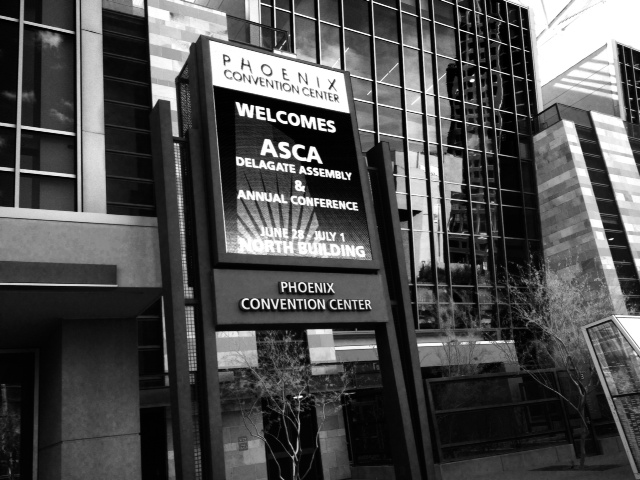
They need a spell checker in the sign department.

More ASCA goodness coming your way!

ASCA Day 2
Dr. Tim Shriver
Dr. Tim Shriver, Chairman of the Special Olympics was our speaker. He gave us the background on how the Special Olympics started and talked about his famous family, the Kennedys.  He told us how his Aunt Rosemary, born in 1918, had an intellectual disability and what it was like for families with a child like Rosemary during those years; locked away, denied an education, and forced sterilization.  Dr. Shriver talked about how his grandmother, Rose Kennedy, insisted that the other children include Rosemary in whatever they did. Whether a party, a dance, or getting together with friends, Rosemary was to be included. He talked about how he believed this impacted his uncle, President Kennedy.  In his now famous quote, "Ask not what your country can do for you, but what you can do for your country," Dr. Shriver says he believes President Kennedy was telling all Americans there are those around us who need our help. We need to ask ourselves how can we help them and each other.

As Dr. Shriver shared about the Special Olympics we heard moving stories of perseverance, saw statistics of monumental growth and heard how the Special Olympics is impacting children with disabilities around the world.  But still there is much work to do.  Dr.Shriver shared this powerful video with us during his presentation.  A young teen whose brother has an intellectual disability is taking a stand against the use of the  "R" word.


Dr. Shriver ended his speech by introducing a high school who participates in unified sports. This is where students with and without intellectual disabilities are combined in approximately equal numbers for training and competition.  These energetic students had us up and dancing.  What an inspiring group of young people!

Keller High School Athletes-Unified Sports 
The Special Olympics has a great website with a FREE  K-12 curriculum called Get Into it which celebrates the diverse gifts of every student whatever their ability. This website is an interactive web-based curriculum with fun, interactive, and creative activities, experiential role plays and engaging videos to help promote respect and acceptance among people with and without disabilities.
2000+ School Counselors #Reach Higher
More sessions, more learning!
My first session of the day was one I had been eagerly anticipating!  I heard Russell Sabella speak  at
ASCA last year and in the  fall at our state convention. His sessions were loaded with lots of great tech tips and I had no doubt he would deliver another information packed and thought provoking session. Russell Sabella and Madelyn Issacs did not disappoint!  Their session, Legal and Ethical Issues in School Counseling,was a fast paced session that was hard to keep up with at times, but what a lot they packed in 75 minutes!  The focus of this session was awareness and risks and how we can reduce the risks.  Madelyn Issacs started off by telling us, "If you are not getting training (in tech) all the time, you are hopelessly behind."  Wow!  She tells us tech is only a tool, people determine its function and value. Russ then tells us the value of these tools is how we use them. He reminds us that whenever we go on line we have power to impact how people view School Counselors, and we know the media is going after the weakest link!  "As people who are caretakers of children we are held to a higher standard.  If one of us is inappropriate it brings us all down."

Here are some great quotes/ideas from this session:
"Just because you can doesn't mean you should!"(even if it's legal and ethical)
 "Private ≠ Privacy, Privacy  Confidential"
We forget their are other audiences viewing our online content besides our intended audience.
When you post,  ask yourself, "Is there one person who shouldn't see this?"  Then don't post it!
"Facebook is not your therapist!"
"Post only things that are positive."
On "friending" students and parents...  Once again, just because you can, doesn't mean you should.

On using Skype, email and notes on Google Docs, be cautious about sharing information/private documents over non-HIPPA compliant protocols.  As for notes on Google  Docs, be certain  they do not contain any confidential information.  Be factual, be brief.  

Important to remember...
There was a ton of other information on HIPPA, FERPA and COPPA compliant sites and programs. We also learned about data encryption for our files, folders and hard drive, file shredding file wiping, and file transfers. I am hopelessly behind here and was a little overwhelmed by all the information and options. For more information about technology you can check out these websites by Russell Sabella.
SchoolCounselor.com, GuardingKids.com and My Data Boot Camp 2.0.


My next session was with Julia Taylor on Promoting Parental Involvement.  Julia reminds us to meet parents where they are.  Consider the things that may be barriers to them like time, personal history (how welcoming is your school), intimidation, school atmosphere ( hopeful? easy access?), child care, deportation, language, transportation, and divorce.  She says it is important for parents to know what we do without having to talk to us.  How do they know what we do?  Communication is key. It can be a website - post links to resources,  an e-newsletter like S'more, maybe Facebook, Twitter or Instagram. Provide information online, like a virtual AP fair they held for parents who can't always make it to school.  In this case, each AP teacher did a 3-5 minute talk about their course and work requirements. These video clips were recorded and put on a glog so parents could access them later at home.  Other great ideas included the app Remind, parent coffee club, book club, lunch and learn, parent needs assessment, parent education evenings once a quarter with a speaker like a banker to talk about how to pay for college or a police officer to talk about dating violence or social media.

The last session of the day was How to Create an iMovie with your iPad by Kelly Curtis.  She showed us lots of great examples of how they had used iMovie in promoting their PBIS program and other events around the school. These movies are posted on their school Facebook page and parents can see them and get a greater understanding of PBIS.  They also help connect parents with the school expectations.  Movies can be embedded in an e-newsletter like S'more as well so parents can see them.  Some video ideas Kelly shared were about the difference in tattling and telling, being an upstander, a day in the life of a ___grader to show the next grade coming up, playground expectations, and a teacher promo for a special school wide reward.  After some basic instructions about selecting a movie or trailer, dragging and dropping, panning photos and adding music we were turned lose to create our own video.  Here's my ASCA iMovie product!

Following a full day of sessions I met some of my new friends to try a nice pasta restaurant we heard about called The Strand.  It was quite good! The evening was filled with delicious pasta, relaxing conversation, and the sharing of experiences that comes from being School Counselors.
Oh so delish Lobster Mac and Cheese with Bacon!

From  left front to back: Lori, Jeannie, Valerie, Jan, Bridget, Susan, Carol, Jennifer,  and Grace
Photo by Grace's very charming husband
ASCA, the Last Day
The last day of ASCA 15 arrived far too quickly.  Just one last session and keynote Ted Federle remained.  I chose to attend Academic Support Groups by Karen Griffith, as one of my goals this next year is to address the 40% of 4th grades who are deficit in academic skills.  Karen had a ton of ideas that were new to me.  Like many of the previous presenters I had seen she was funny and went through her presentation with lightning speed.  Karen started off by telling us when doing groups be prepared. Well duh! But I know what she means.  There has been a time or two I came in and said, "Oh dear today is group.  What are we going to do today?"  The more you do ahead of time the less you have to do in the moment and the more present you can be with the children. So true and so obvious, but I hadn't really thought of it that way.  There are many people who can do group activities with students, BUT it is our EXPERTISE that makes the activity counseling. Karen also recommended against asking teachers what kids need which groups because she says we are asking teachers to do something beyond their skill set.  Hmmm. That is true.  I know when I have asked teachers in the past, some  will recommend the entire class or recommend kids for groups that are really not appropriate.  Karen says instead, ask teachers at grade level meetings who they are worried about and why, then you decide what kind of group is needed.  I like that.  I can get buy-in, but then I am free to make the best decision for students.

There were lots of great lesson ideas from her session, but no PowerPoint or handout to reference for later.  Sorry.  But it was a really good session, just wish there had been more take away resources.  Here are some high points and ideas from her session:
*academic skills are more than just study skills, it is also motivation and academic advising 
*There is no such thing as an "educational" emergency.  Your time with students should be protected, those "educational" emergencies can wait 30 minutes until you finish your group.
*6-8 sessions is not enough time for change to happen in groups, she recommends 12 sessions
* buy inexpensive clickers like used at big events to count the number of people entering a venue and give these to teachers trying to track how often a child off task/not working
*offer "On A Roll" ( say it fast it sounds like Honor Roll) guidance awards for students who bring up their grades, maybe not A's and B's but up from D or F each report card
* cool card sort activity- Using pictures from the internet, choose several dozen that show students showing varying degrees of studying to not studying.  Asks student to sort cards 5 most like you, 5 somewhat like you, and 5 not like you  OR choose 10 that show the different ways you are in class, put them in order OR put in order how you think the teacher sees your behavior/performance in class.

From Bullied To Broadway To Books
Broadway performer Tim Federle was our closing keynote speaker.  He says, "Everything that got me picked on as a kid gets me paid today."  He shares with us"7 things I learned on Broadway I wish I had known when I was a student."
1) Set backs now are the most interesting parts of your story.  Some call it character.  He says take control of your own narrative.
2) Perfectionism is way over rated. He shares a story of teaching adolescent boys to tap dance for the Broadway show Billy Elliot.  Those who came with grit exceeded those more naturally talent because they wanted it more.
3) There's no such thing as an anti-bully zone. We do our students a disservice if we tell them, or imply, once they graduate there is no more bullying.  Instead we must teach coping and resiliency.  It is important to help students realize the difference between what is a problem and what is an annoyance. Bullying doesn't stop, you just have to find your tribe.
4) Follow your whims as much as your dreams.  He tells the story of a single idea, he had a title for a book, Tequila Mockingbird. When he mentioned it to his publisher she didn't say no, she just said put it out there. That whim has sold over 100,000 copies.  Tim says our job is to say yes when no one else does.
5) Be nice to the guy who washes your socks.  When competing for a role in a Broadway show it came down to who fit in the costumes the best.  After receiving the call he got the role, Tim later found out he fit in the costumes the worst.  The head of wardrobe was someone he had known and befriended when he first started on Broadway.  That man stayed up all night altering the costumes for Tim.
6) Everyone is always starting over. In theater you are always looking for your next part of role. Just like in theater, we have to keep putting ourselves out there and taking chances. Life is a journey.
7) You never know when someone is going to change your life.  I had to leave to catch my plane as Tim begin to explain this, but I think I understand this one. I can think of situations in my own life when I met someone who I had no idea would later be a significant influence on me.  Or the time, hurtful as it was, when someone walked out of my life so someone better could walk in.  Or that person who shares a personal story or experience that totally changes your way of thinking from no way to I can do that.  You never know when someone is going to change your life.

RESOURCES
I would like to leave you with a few more resources before I close.  First ,there is a great new girls group book called Starbound by Carol Miller the founder of all those wonderful School Counselor Facebook pages.
Watch D.O.G.S.  (Dads of Great Students) an awesome program for getting Dads involved with their students and your school. It's not free, but something your PTA may want to get involved with.  And of course the previously mentioned free resources from Special Olympics, Get Into It,  helps build acceptance and respect and for persons with and without disabilities.


Well that's it for ASCA 2015.  If you were not able to attend, I hope you have enjoyed attending vicariously through these posts. I had a great experience and I'm looking forward to ASCA 2016 in New Orleans.  Until then, stay in touch through my Exploring School Counseling Facebook page, Twitter  @ExploringSchC and this blog.